
UML diagrams for students: types, examples and when to use them
Reviewed: September 16, 2026. Sources, review and corrections methodology
DIRECT ANSWER
Learn to create UML diagrams for your engineering projects. Class, sequence, use case and more with practical examples.
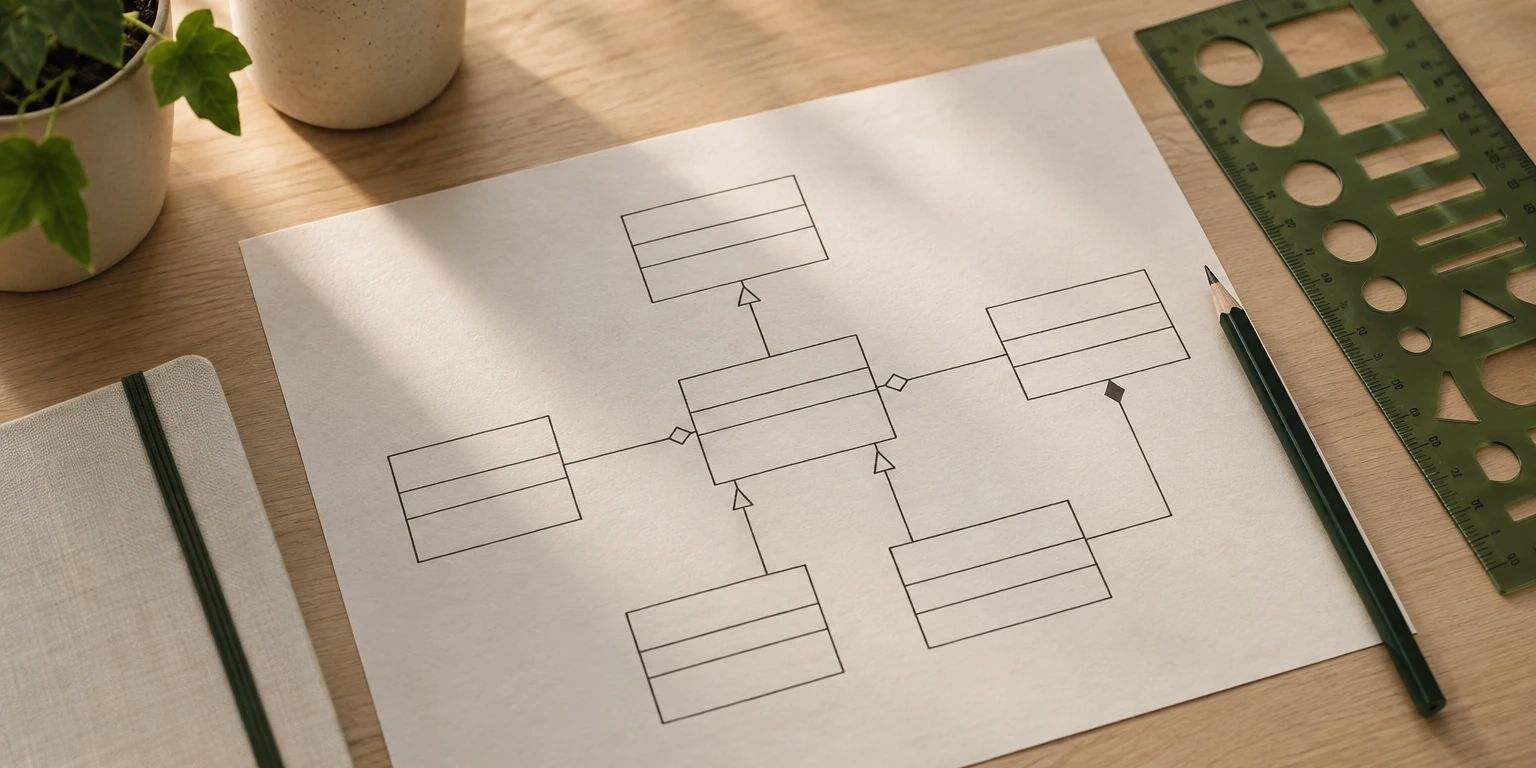
UML diagrams appear in almost every software engineering course, yet many students struggle with them because textbooks present the notation without practical context. This guide covers the diagrams you will actually need for your university projects, with clear explanations of when and how to use each one.
What is UML
UML stands for Unified Modeling Language. It is a standardized way to visualize the design of a software system. Think of it as the blueprints an architect draws before construction begins — except these blueprints describe classes, objects, interactions and workflows instead of walls and foundations.
UML is not a programming language. It is a visual notation that helps you and your team understand the system before writing code.
The two categories of UML diagrams
UML diagrams fall into two groups:
| Category | Purpose | Main diagrams |
|---|---|---|
| Structural | Show what the system is made of | Class, Object, Component, Package |
| Behavioral | Show how the system behaves | Use Case, Sequence, Activity, State |
For most university projects, you need between two and four diagram types. Below are the ones professors request most frequently.
Use case diagram
When to use it: At the beginning of your project, to define what the system does from the user's perspective.
A use case diagram shows actors (users or external systems) and the actions they can perform. It answers the question: "Who does what in this system?"
Components:
- Actors — Stick figures representing users or external systems
- Use cases — Ovals describing actions the system performs
- Relationships — Lines connecting actors to their use cases
Example for a library management system:
- Actor: Student — Borrow book, Return book, Search catalog
- Actor: Librarian — Register book, Manage fines, Generate reports
- Actor: System — Send due date reminders
Common mistakes:
- Including implementation details (use cases should describe what, not how)
- Creating one use case per button in the UI (too granular)
- Forgetting to include system actors like external APIs or scheduled tasks
Class diagram
When to use it: During design, to define the structure of your code — classes, attributes, methods and relationships.
The class diagram is the most requested UML diagram in software engineering courses. It maps directly to your code structure.
Components:
- Classes — Rectangles divided into three sections: name, attributes, methods
- Relationships — Association, aggregation, composition, inheritance
- Multiplicity — Numbers showing how many instances relate (1, 0.., 1..)
Example for an e-commerce system:
+------------------+       +------------------+
|     Product      |       |      Order       |
+------------------+       +------------------+
| - id: int        |       | - id: int        |
| - name: string   |       | - date: DateTime |
| - price: decimal |       | - total: decimal |
+------------------+       +------------------+
| + getPrice()     |  1..* | + calculateTotal()|
| + updateStock()  |------>| + addItem()      |
+------------------+       +------------------+
                                  |
                                  | 1
                                  v
                           +------------------+
                           |    Customer      |
                           +------------------+
                           | - name: string   |
                           | - email: string  |
                           +------------------+
                           | + register()     |
                           | + login()        |
                           +------------------+
Key relationships explained:
| Relationship | Symbol | Meaning | Example |
|---|---|---|---|
| Association | Solid line | Classes are related | Student — Course |
| Aggregation | Empty diamond | "Has a" (can exist independently) | University — Professor |
| Composition | Filled diamond | "Owns a" (cannot exist independently) | Order — OrderLine |
| Inheritance | Empty triangle | "Is a" (parent-child) | Animal — Dog |
Sequence diagram
When to use it: To show how objects interact over time for a specific scenario.
Sequence diagrams illustrate the order of messages exchanged between objects. They are ideal for describing login flows, purchase processes or any multi-step interaction.
Components:
- Lifelines — Vertical dashed lines representing objects
- Messages — Horizontal arrows showing method calls
- Activation bars — Thin rectangles showing when an object is active
- Return messages — Dashed arrows showing responses
Example: User login flow
User        LoginForm       AuthService      Database
 |              |               |               |
 |--enters credentials-->|      |               |
 |              |--validate()-->|               |
 |              |               |--findUser()-->|
 |              |               |<--userData----|
 |              |               |--checkPass()  |
 |              |<--token-------|               |
 |<--redirect---|               |               |
Activity diagram
When to use it: To describe workflows, business processes or algorithms with decision points.
Activity diagrams work like flowcharts but with UML notation. They are excellent for documenting processes that involve conditions and parallel actions.
Components:
- Initial node — Filled circle (start)
- Activity — Rounded rectangle (action)
- Decision — Diamond (if/else)
- Fork/Join — Thick horizontal bar (parallel activities)
- Final node — Circle with border (end)
Use activity diagrams when your professor asks you to model a process like "How does a student register for courses?" or "What happens when an order is placed?"
State diagram
When to use it: To show the lifecycle of a single object — all possible states and what triggers transitions between them.
Example states for an Order object: Created, Confirmed, Processing, Shipped, Delivered, Cancelled.
State diagrams are less common in introductory courses but essential in systems where objects have complex lifecycles (orders, tickets, user accounts).
Which diagrams does your project need
| Project type | Recommended diagrams |
|---|---|
| Web application | Use Case + Class + Sequence |
| Mobile app | Use Case + Class + Activity |
| Database project | Class (as ER alternative) + Activity |
| Systems analysis course | Use Case + Class + Sequence + Activity |
| Software engineering thesis | All of the above + State (if applicable) |
Tools for creating UML diagrams
| Tool | Cost | Best for |
|---|---|---|
| Draw.io (diagrams.net) | Free | General purpose, browser-based |
| Lucidchart | Free tier | Collaborative diagrams |
| StarUML | Free trial | Dedicated UML tool with code generation |
| PlantUML | Free | Text-to-diagram (ideal for version control) |
| Visual Paradigm | Free community edition | Full UML suite |
Best practices
- Keep diagrams focused — One diagram per concept. Do not cram everything into a single class diagram
- Use consistent naming — If your code uses camelCase, your diagrams should too
- Add a legend — Not every reader knows UML notation. A brief legend helps
- Version your diagrams — Store diagram source files in your Git repository alongside code
- Align diagrams with code — If your class diagram shows a method, that method should exist in your codebase
Need UML diagrams for your thesis or engineering project? At Folium Labs we create professional UML documentation that aligns with your codebase and meets academic standards. Get a free quote today.
Beyond the classroom
UML may feel like academic busywork, but the skill of modeling a system before building it transfers directly to professional software development. Senior engineers sketch architectures on whiteboards, write design documents and review diagrams before writing code. Mastering UML now gives you a communication tool you will use throughout your career.
Related guides: How to document a software project properly, How to build an MVP for your engineering project and MySQL vs PostgreSQL: which one for your project?.
Working on a software project that needs technical documentation? Explore our technical documentation services and let our team handle the diagrams while you focus on code.
If this is part of your capstone, see which deliverables a systems engineering capstone usually requires and download the software documentation template.
Primary and academic sources
These sources support the editorial review of this guide. Always verify the current rules of your own program.
- MDN Web Docs, Mozilla
- Web Content Accessibility Guidelines (WCAG), W3C

Need help with your project?
Our team can handle your thesis, research or technology project.